

Introduction
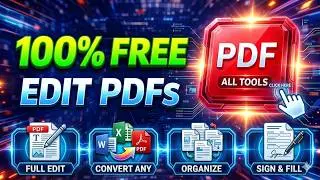
Online PDF utilities have become essential tools in today’s digital world where documents are shared, edited, and stored in PDF format across almost every industry. From students submitting assignments to businesses handling contracts, PDFs provide a reliable and consistent way to present information without losing formatting. However, working with PDFs often requires more than just viewing files—you may need to edit text, merge multiple documents, compress large files, or convert PDFs into other formats like Word or Excel. This is where online PDF utilities come in, offering quick, accessible, and user-friendly solutions directly through your web browser without installing heavy software.
These tools are especially useful for beginners because they simplify complex document tasks into just a few clicks. Whether you are organizing files for personal use or managing documents for professional work, online PDF utilities save time, reduce effort, and improve productivity. With cloud-based access, you can use these tools anytime and anywhere, making them highly flexible for remote work and learning environments. As digital documentation continues to grow, understanding how to use online PDF utilities efficiently is becoming an important skill for everyone. This guide will walk you through everything you need to know, from basics to expert tips, so you can handle PDFs like a pro.
What is Online PDF Utilities?
Online PDF utilities are web-based tools designed to help users manage, edit, convert, and optimize PDF files without needing to install software. These tools operate directly in a browser, allowing users to upload a file, perform an action, and download the updated version instantly. Common functions include merging multiple PDFs, splitting large files into smaller ones, compressing file size, converting PDFs into editable formats, and adding security features like password protection.
The main purpose of online PDF utilities is to simplify document handling for users of all skill levels. Instead of using complicated desktop applications, beginners can perform tasks with simple drag-and-drop actions. These tools are widely used in education, business, freelancing, and government work because they support fast and efficient document processing. Many platforms also offer cloud storage integration, which makes file management even easier. In short, online PDF utilities act as all-in-one digital assistants for handling PDF-related tasks quickly and efficiently.
Why is Online PDF Utilities Important?
Online PDF utilities are important because they solve one of the most common digital problems: managing and editing non-editable documents. PDFs are designed to preserve formatting, but that also makes them difficult to modify without special tools. Online utilities remove this barrier by providing easy access to editing and conversion features, helping users save time and avoid technical difficulties.
Another major reason these tools are important is accessibility. Since they are browser-based, users do not need powerful computers or expensive software. This makes them ideal for students, small businesses, and individuals who need quick solutions without high costs. They also support remote work environments, allowing users to manage documents from anywhere in the world. Additionally, online PDF utilities improve productivity by automating tasks like compression, merging, and file conversion, which would otherwise take much longer manually.
Detailed Step-by-Step Guide
How to Use Online PDF Utilities
Using online PDF utilities is simple and does not require technical knowledge. First, choose a trusted PDF utility website that offers the feature you need, such as editing or converting. Most platforms have a clean interface with clear tool options displayed on the homepage.
Next, upload your PDF file by dragging it into the upload box or selecting it from your device. Once uploaded, select the desired action such as “Convert to Word,” “Merge PDFs,” or “Compress File.” The system will process your file automatically in a few seconds or minutes depending on its size.
Editing and Modifying PDFs
After uploading the file, choose the edit option if available. You can add text, highlight sections, insert images, or remove unnecessary content. Some tools also allow annotation features for collaborative work. Once changes are made, preview the document to ensure accuracy before downloading the final version.
Converting PDF Files
To convert a PDF, select the conversion tool and choose the output format like Word, Excel, or JPG. The system will process the file and generate a downloadable version. This is especially useful for editing content that is not normally editable in PDF format.
Compressing and Saving Files
If your PDF file is too large, use the compression tool. Upload the file, select compression level (low, medium, or high), and download the optimized version. This helps in sharing files via email or messaging apps without size restrictions.
Benefits of Online PDF Utilities
- Easy to use with no technical skills required
- No software installation needed
- Accessible from any device with internet
- Saves time on document processing
- Supports multiple file formats and conversions
- Helps reduce file size for easy sharing
- Improves productivity for personal and professional use
- Offers cloud-based storage and access options
Disadvantages / Risks of Online PDF Utilities
- Requires stable internet connection
- Some tools have file size limitations
- Privacy risks when uploading sensitive documents
- Limited advanced features in free versions
- Ads and pop-ups on free platforms may affect usability
- Dependence on third-party servers for processing
Common Mistakes to Avoid
One common mistake users make is uploading sensitive or confidential documents to untrusted websites. Always ensure the platform is secure and reputable before using it. Another mistake is ignoring file backups; users should always keep original copies before editing or converting files.
Many beginners also select incorrect conversion formats, leading to formatting issues in the final document. It is important to choose the right output format based on your needs. Additionally, over-compressing files can reduce quality, making text or images unclear. Avoid rushing through steps and always preview the final output before downloading.
FAQs
1. What are online PDF utilities used for?
Online PDF utilities are used for editing, converting, merging, compressing, and managing PDF files quickly through a browser without installing software.
2. Are online PDF tools safe to use?
Yes, most are safe if you use trusted websites. However, avoid uploading highly sensitive documents to unknown platforms.
3. Do I need to install software to use PDF utilities?
No, online PDF utilities work directly in your web browser without any installation.
4. Can I convert PDF to Word using these tools?
Yes, most online PDF utilities allow conversion from PDF to Word, Excel, and other formats easily.
5. Are these tools free?
Many tools offer free versions with basic features, while advanced options may require a subscription.
6. Can I use PDF utilities on mobile?
Yes, most online PDF utilities are mobile-friendly and work on smartphones and tablets.
Expert Tips & Bonus Points
Always choose PDF tools that offer encryption or secure file deletion after processing. This ensures your documents are not stored permanently on external servers. For better productivity, bookmark your most-used tools so you can access them quickly.
Another expert tip is to use batch processing features if available, which allows you to handle multiple files at once. Also, prefer tools with high-quality conversion engines to avoid formatting issues. For professional work, consider premium versions of trusted platforms to unlock advanced features like OCR (Optical Character Recognition), which helps convert scanned documents into editable text.
Conclusion
Online PDF utilities have transformed the way individuals and businesses handle digital documents. They provide a simple, fast, and efficient solution for managing tasks that were once complicated and time-consuming. From editing and converting files to compressing and securing important documents, these tools offer everything in one place, making them highly valuable for beginners and professionals alike.
As more work shifts to digital platforms, the demand for easy document management continues to grow. Online PDF utilities meet this demand by offering flexible, browser-based solutions that can be accessed anytime, anywhere. Whether you are a student, freelancer, or business owner, learning how to use these tools effectively can significantly improve your productivity and workflow. By choosing the right platform and following best practices, you can handle PDF files with confidence and ease, making your digital tasks smoother and more efficient every day.