

Introduction
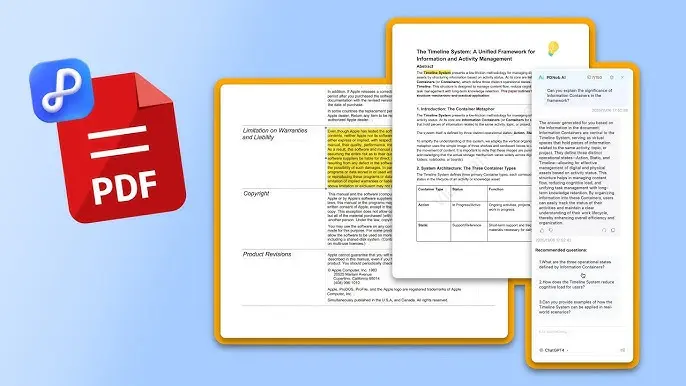
PDF document tools have become essential in today’s digital world where most files are shared, stored, and managed online. Whether you are a student, freelancer, business owner, or office worker, you will likely deal with PDF files on a daily basis. These tools allow users to edit, convert, merge, split, compress, and secure PDF files without needing advanced technical skills. In the past, working with PDFs required expensive software and complex processes, but modern online PDF tools have made everything much easier and accessible for beginners.
With the rise of cloud-based platforms, users can now perform PDF-related tasks directly from a browser without downloading heavy applications. This makes PDF tools extremely convenient for people who want quick solutions. From editing text inside a PDF to converting Word documents into PDF format, everything can be done in just a few clicks. Understanding how these tools work can significantly improve productivity and save time in both personal and professional tasks.
In this guide, you will learn everything about PDF document tools, including what they are, why they are important, how to use them step-by-step, their benefits, risks, common mistakes, FAQs, and expert tips. By the end, you will be able to handle any PDF task with confidence even if you are a complete beginner.
What is PDF Document Tools?
PDF document tools are software applications or online platforms designed to manage, edit, and manipulate PDF (Portable Document Format) files. These tools help users perform various tasks such as converting files into PDF, editing text, adding images, merging multiple PDFs, splitting large documents, compressing file size, and securing sensitive information with passwords.
PDF tools can be categorized into two main types: online tools and offline software. Online PDF tools work through a web browser and do not require installation. They are fast, easy to use, and ideal for quick tasks. Offline tools, on the other hand, are installed on a computer and offer advanced features for professional users who need more control and security.
These tools are widely used in education, business, and personal work because PDF is a universal file format that preserves formatting across all devices. Whether you open a PDF on a mobile phone, laptop, or tablet, the layout remains the same. This reliability makes PDF document tools extremely important for document management.
Why is PDF Document Tools Important?
PDF document tools are important because they simplify document handling and improve productivity. In today’s fast-paced digital environment, people need quick and efficient ways to manage files without wasting time. PDF tools make it possible to complete complex tasks in seconds, which would otherwise take hours manually.
Another major reason these tools are important is accessibility. Anyone with an internet connection can use online PDF tools without technical knowledge. This is especially useful for students and small business owners who cannot afford expensive software. PDF tools also help maintain document quality, ensuring that formatting, images, and text remain unchanged across different devices.
Security is another important factor. Many PDF tools offer encryption and password protection features, which help protect sensitive information from unauthorized access. This is crucial for businesses dealing with confidential data. Overall, PDF document tools play a vital role in modern communication, documentation, and workflow management.
Detailed Step-by-Step Guide
How to Edit PDF Files
Editing a PDF file is one of the most common tasks. First, open a trusted PDF editing tool in your browser or software. Upload the PDF file you want to edit. Once uploaded, the tool will display the document content. You can click on text areas to modify words, change fonts, or add new content. After editing, save the file and download it back to your device.
Many tools also allow you to add images, signatures, and highlights. This makes it easy to customize documents for professional use. Always double-check your edits before saving to avoid mistakes.
How to Convert Files to PDF
To convert a file into PDF format, open a PDF converter tool and select the file type you want to convert, such as Word, Excel, or image files. Upload the file and click the convert button. The tool will automatically process the file and generate a PDF version.
Once conversion is complete, download the file and check formatting to ensure everything looks correct. This process is useful for creating professional documents that can be shared easily without formatting issues.
How to Merge and Split PDFs
Merging PDFs allows you to combine multiple documents into one file. Upload all the files into a merge tool, arrange them in order, and click merge. The tool will create a single PDF file.
Splitting PDFs is the opposite process. Upload a large PDF, select the pages you want to separate, and click split. This is useful when you only need specific sections of a document.
How to Compress PDF Files
To compress a PDF, upload your file into a compression tool. Select the compression level, such as high, medium, or low quality. The tool will reduce file size while maintaining readability. This is helpful when sending files via email or uploading them online.
How to Protect PDF Files
To secure a PDF file, open a protection tool and upload your document. Set a strong password and apply encryption. Once saved, only users with the password can open or edit the file. This ensures data privacy and security.
Benefits of PDF Document Tools
- Easy to use for beginners without technical skills
- Saves time by automating document tasks
- Accessible from any device with internet connection
- No need for expensive software installation
- Maintains original formatting of documents
- Supports multiple file formats for conversion
- Enhances productivity in work and study
- Improves document security with encryption options
Disadvantages / Risks
- Some online tools may compromise data privacy
- Free versions often have limited features
- Internet connection is required for online tools
- Large files may take longer to process
- Risk of using untrusted websites with malware
- Quality loss during compression in some cases
- Dependency on third-party platforms
Common Mistakes to Avoid
Many beginners make mistakes while using PDF tools that can affect their results. One common mistake is uploading sensitive files to untrusted websites, which can lead to data leaks. Always use reliable and well-known platforms.
Another mistake is ignoring file backups before editing. If something goes wrong during editing or conversion, you may lose original data. It is also important to avoid over-compressing files, as it can reduce readability and quality. Beginners should also carefully check formatting after conversion to ensure everything appears correctly.
FAQs
1. What are PDF document tools used for?
PDF document tools are used for editing, converting, merging, splitting, compressing, and securing PDF files easily.
2. Are PDF tools free to use?
Many PDF tools offer free versions, but advanced features usually require a paid subscription.
3. Can I use PDF tools on mobile?
Yes, most online PDF tools are mobile-friendly and can be used through browsers or apps.
4. Is it safe to use online PDF tools?
It is safe if you use trusted and reputable websites. Avoid unknown platforms for sensitive files.
5. Do PDF tools require installation?
Online PDF tools do not require installation, but desktop software does.
6. Can I edit scanned PDFs?
Yes, using OCR (Optical Character Recognition) tools, you can convert scanned PDFs into editable text.
7. Why does my PDF lose quality after compression?
Over-compression reduces file size but may affect image and text clarity.
Expert Tips & Bonus Points
Experts recommend always choosing PDF tools that offer encryption and privacy protection. This ensures your files remain secure during processing. Another important tip is to use batch processing features when handling multiple files, as it saves a lot of time.
It is also helpful to organize your PDF files into folders before editing or converting them. This improves workflow efficiency. Always preview files after every operation to ensure accuracy. If possible, use offline tools for highly sensitive documents to reduce security risks.
Conclusion
PDF document tools have revolutionized the way we handle digital documents. They provide an easy, fast, and efficient solution for editing, converting, merging, and managing files without requiring advanced technical skills. For beginners, these tools are especially valuable because they simplify complex tasks and make document management accessible to everyone.
As technology continues to evolve, PDF tools are becoming even more powerful with features like cloud storage integration, AI-based editing, and enhanced security options. Whether you are a student preparing assignments, a professional handling reports, or a business managing contracts, PDF tools can significantly improve your productivity.
However, it is important to use them wisely by choosing trusted platforms and protecting sensitive data. By understanding how these tools work and following best practices, you can fully take advantage of their benefits while avoiding potential risks. Mastering PDF document tools is a small step that can make a big difference in your digital workflow.