
Introduction
Online converter tools have become essential in today’s digital world where files come in many formats such as PDF, Word, Excel, images, audio, and video. Whether you are a student, office worker, content creator, or casual internet user, you often face situations where you need to change one file format into another. This is where online converters save time and effort by allowing quick and easy file transformation without installing heavy software. These tools work directly in your browser, making them accessible from any device, including mobile phones, tablets, and computers.
The popularity of online converters is increasing because they are simple, fast, and usually free to use. Instead of downloading complicated programs, users can upload their files, select the desired format, and get results within seconds. From converting PDF to Word documents to changing images into different formats like PNG or JPG, online converters handle a wide range of tasks. This guide will help beginners understand what online converters are, why they are important, how to use them step by step, and what benefits and risks are associated with them.
What is Online Converter?
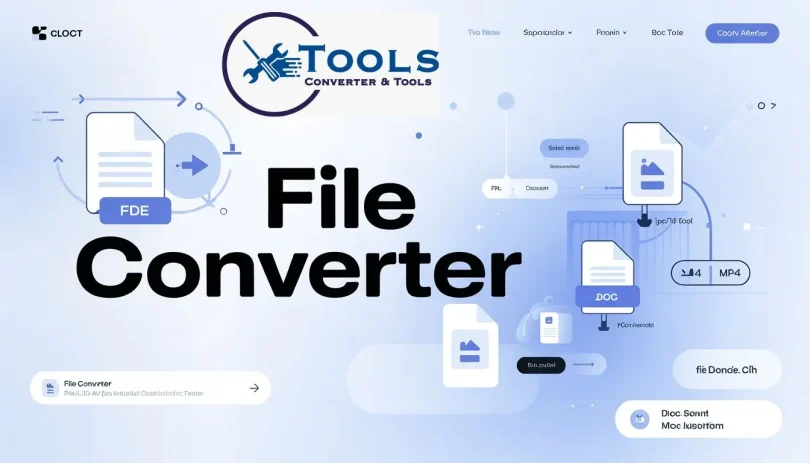
An online converter is a web-based tool that allows users to change files from one format to another without installing any software. These tools operate through internet browsers and support multiple file types such as documents, images, audio, video, and compressed files. For example, you can convert a PDF file into a Word document, or an MP3 audio file into WAV format using these platforms.
Online converters use cloud-based systems to process files. When a user uploads a file, the tool temporarily processes it on a server, converts it into the selected format, and then provides a download link. This makes it convenient for users who do not have advanced technical skills or high-end computers. Most online converters are designed with simple interfaces, making them beginner-friendly and easy to understand.
Why is Online Converter Important?

Online converters are important because they simplify digital tasks that would otherwise require specialized software. Many file formats are not compatible with all devices or applications, so conversion becomes necessary. Without converters, users would struggle to open or edit files that are in unsupported formats.
Another key reason for their importance is accessibility. Anyone with an internet connection can use these tools without paying for expensive software. They also save storage space because no installation is required. For businesses, students, and freelancers, online converters improve productivity by allowing quick file sharing and editing across different platforms.
Detailed Step-by-Step Guide
Step 1: Choose a Reliable Online Converter
The first step is selecting a trustworthy online converter platform. There are many tools available, but it is important to choose one that is secure, fast, and supports multiple formats. Look for user reviews and ensure the website has a clean interface and HTTPS security.
Step 2: Upload Your File
After selecting the tool, upload the file you want to convert. Most platforms support drag-and-drop functionality or a simple upload button. Make sure your file is not corrupted and is within the allowed size limit.
Step 3: Select Output Format
Next, choose the format you want to convert your file into. For example, if you are converting a document, you might choose PDF to DOCX or DOCX to PDF. For images, options like JPG, PNG, or WEBP are common.
Step 4: Start Conversion Process
Click the convert button to begin processing. The system will automatically upload your file to the server and convert it into the selected format. This usually takes only a few seconds depending on file size.
Step 5: Download Converted File
Once the conversion is complete, download the file to your device. Always check the file to ensure it has been converted correctly and there are no formatting issues.
Benefits of Online Converter
- Easy to use for beginners without technical knowledge
- No need to install software or plugins
- Works on all devices including mobile and desktop
- Supports multiple file formats in one platform
- Saves time and improves productivity
- Often free or low-cost compared to software tools
- Quick file sharing and cloud-based processing
Disadvantages / Risks
- Requires stable internet connection
- Risk of uploading sensitive or private data
- Some tools have file size limitations
- Free versions may include ads or restrictions
- Conversion quality may vary depending on tool
- Not suitable for offline use
Common Mistakes to Avoid
Many beginners make mistakes while using online converters that can affect results. One common mistake is uploading low-quality or corrupted files, which leads to poor conversion output. Another mistake is using untrusted websites that may compromise data security.
Users also often select incorrect output formats, resulting in unusable files. Ignoring file size limits can also cause conversion failures. It is important to always double-check settings before starting the conversion process.
FAQs
1. What is an online converter used for?
An online converter is used to change files from one format to another, such as PDF to Word or JPG to PNG, directly through a browser without installing software.
2. Are online converters safe to use?
Yes, most reputable online converters are safe, but users should avoid uploading sensitive or confidential files to unknown platforms.
3. Do I need to install software for file conversion?
No, online converters work directly in your web browser, so no installation is required.
4. Can I use online converters on mobile phones?
Yes, most online converter tools are mobile-friendly and can be used on smartphones and tablets easily.
5. Are online converters free?
Many online converters are free, but some advanced features or larger file sizes may require a paid version.
6. What file types can I convert?
You can convert documents, images, audio, video, and compressed files depending on the converter you are using.
Expert Tips & Bonus Points
Always choose a well-known converter platform to ensure better quality and security. Before uploading files, check the supported formats and size limits. If you frequently convert files, bookmark a trusted converter for quick access. For better privacy, avoid uploading personal or sensitive documents to free tools.
Another useful tip is to compare different converters because some tools provide better quality for specific formats. For example, some are better for document conversion, while others excel in image or video processing. Always preview your converted file before final use to ensure accuracy.
Conclusion
Online converters have made file transformation simple, fast, and accessible for everyone. They eliminate the need for complex software and allow users to convert files directly through a browser. Whether you are a student converting assignments, a professional handling documents, or a creator managing media files, these tools save time and improve workflow efficiency.
Despite their advantages, users should remain cautious about privacy and choose reliable platforms for safe usage. Understanding how online converters work and following best practices ensures better results and secure file handling. As digital needs continue to grow, online converters will remain an essential tool for everyday tasks, making file management easier for beginners and professionals alike.